

Developers
Whether you run a physical store, an online store or both, Smartix integrates with Shopify to help you issue, manage and redeem wallet passes throughout the customer journey. This page provides an overview of what to expect, while full installation and configuration guidance is available in our documentation.
Bring Smartix directly into the familiar Shopify POS workflow.
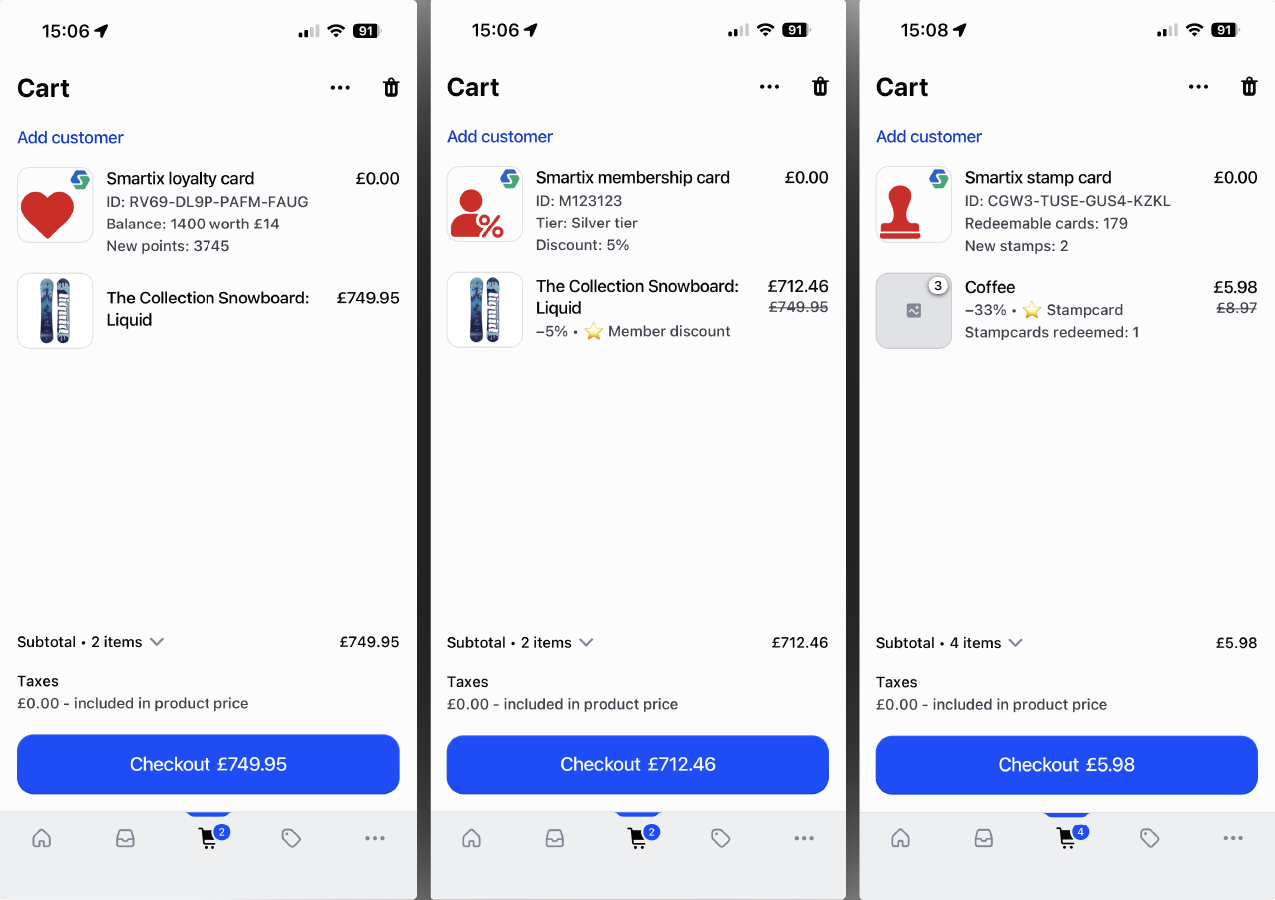
The Smartix POS extension allows staff to scan and manage Smartix passes while completing a normal Shopify sale.
Depending on the pass type, staff can add loyalty points, redeem rewards, issue stamps, verify membership, apply member discounts or redeem Smartix gift card value directly from the POS terminal.
You can use the POS integration on its own, or combine it with the online-store features to provide a joined-up customer experience across every sales channel.
Give customers a simple place to view and manage their Smartix cards online.
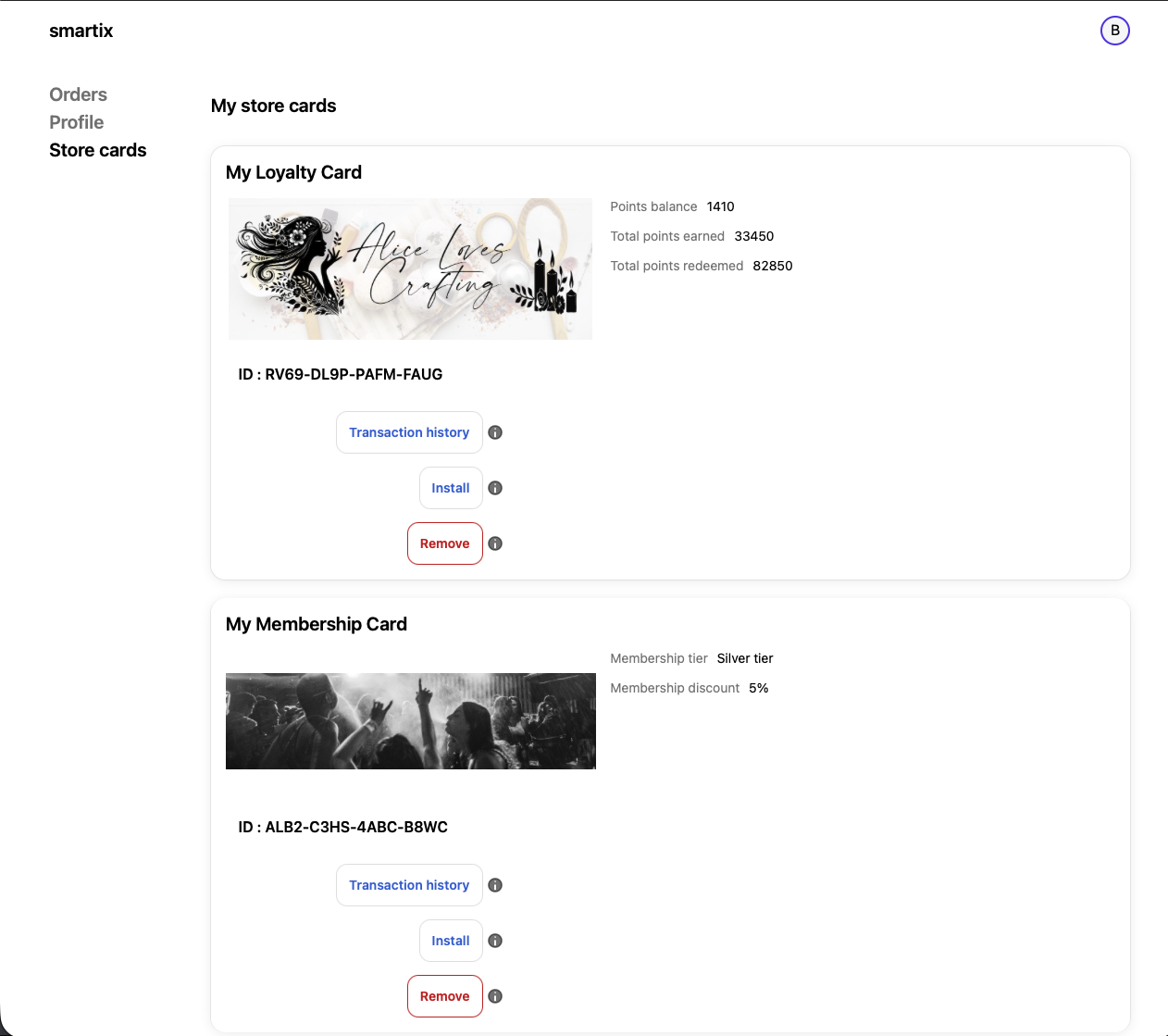
The Smartix customer account extension gives signed-in customers access to the cards linked to their Shopify account.
Customers can view loyalty, stamp, membership and gift cards, check balances and rewards, and add or restore passes in Apple Wallet or Google Wallet.
This provides a useful self-service area without requiring you to build a separate customer portal.
Introduce Smartix naturally while customers browse your products.
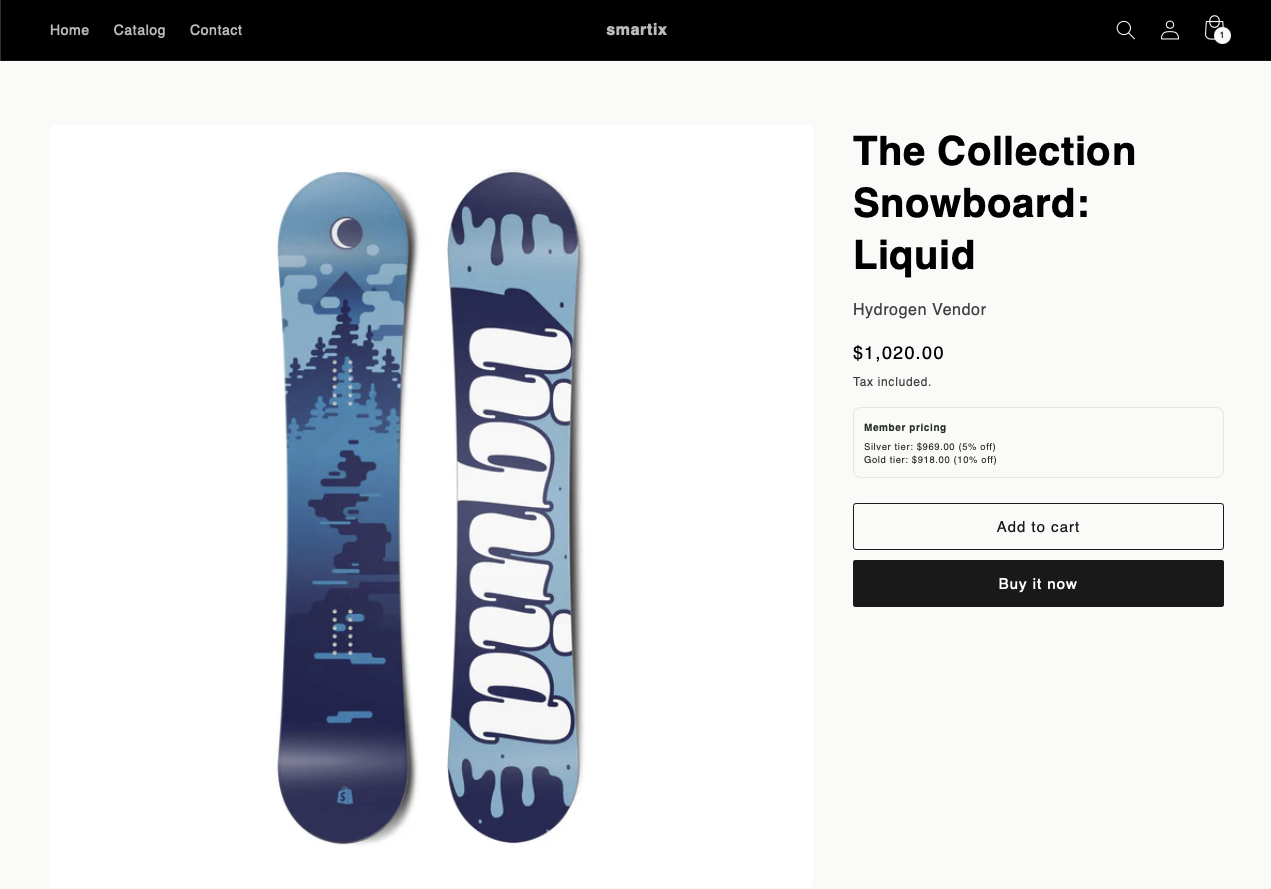
Smartix can add relevant pass information to product pages so customers understand the benefits available before they buy.
For example, a product page might show how many loyalty points will be earned, whether a membership discount applies or how a purchase contributes towards a stamp-card reward.
These extensions support the buying decision without taking customers away from your existing Shopify storefront.
Let customers apply Smartix rewards and benefits before checkout.
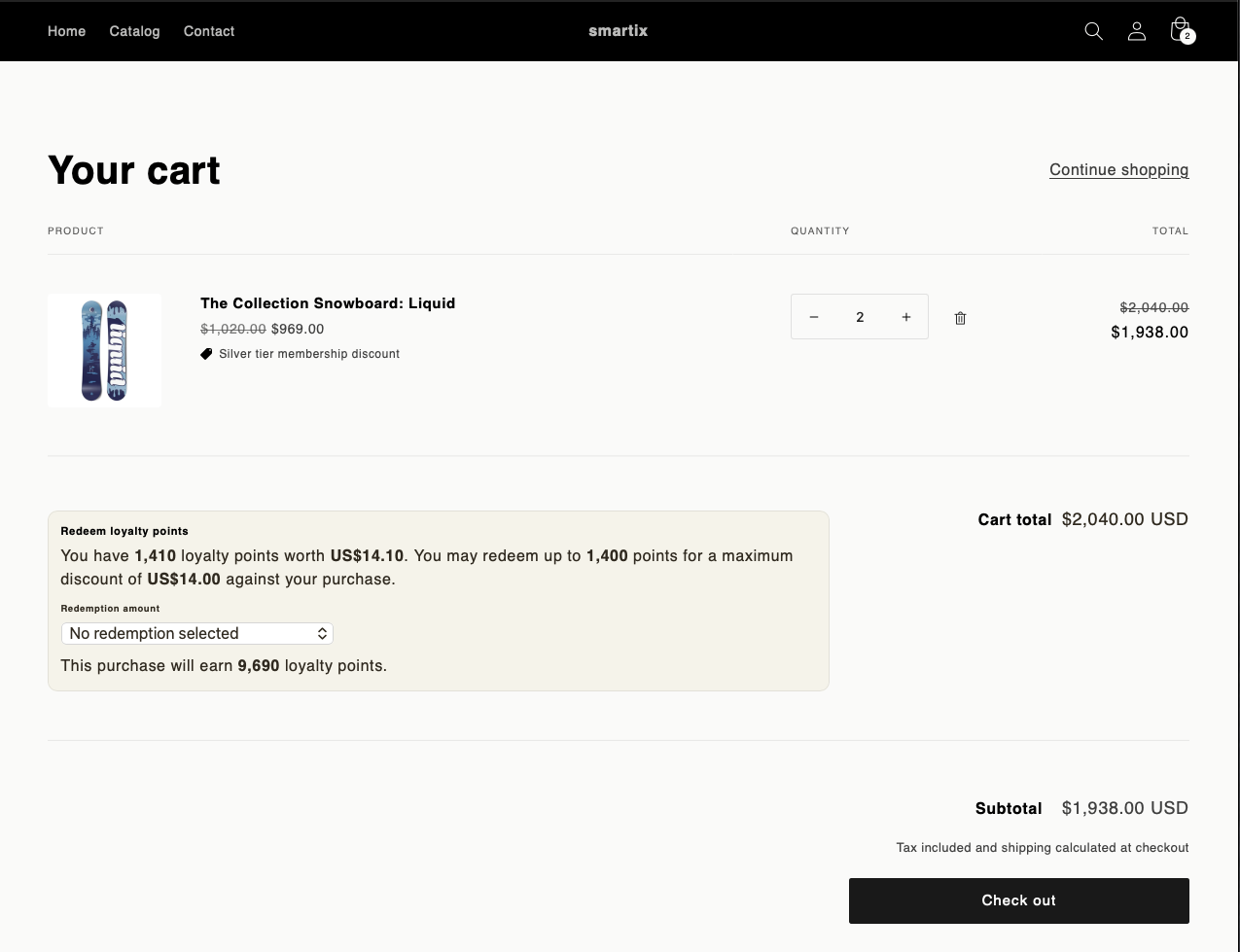
The cart is the main online interaction point for Smartix rewards.
Customers can choose available loyalty rewards, redeem completed stamp cards, apply membership benefits or use Smartix gift card value before continuing to checkout.
Smartix reserves the selected value while Shopify applies the appropriate discount, keeping the customer journey clear while Smartix remains the source of truth for balances and rewards.
Configure and monitor the integration from within Shopify.
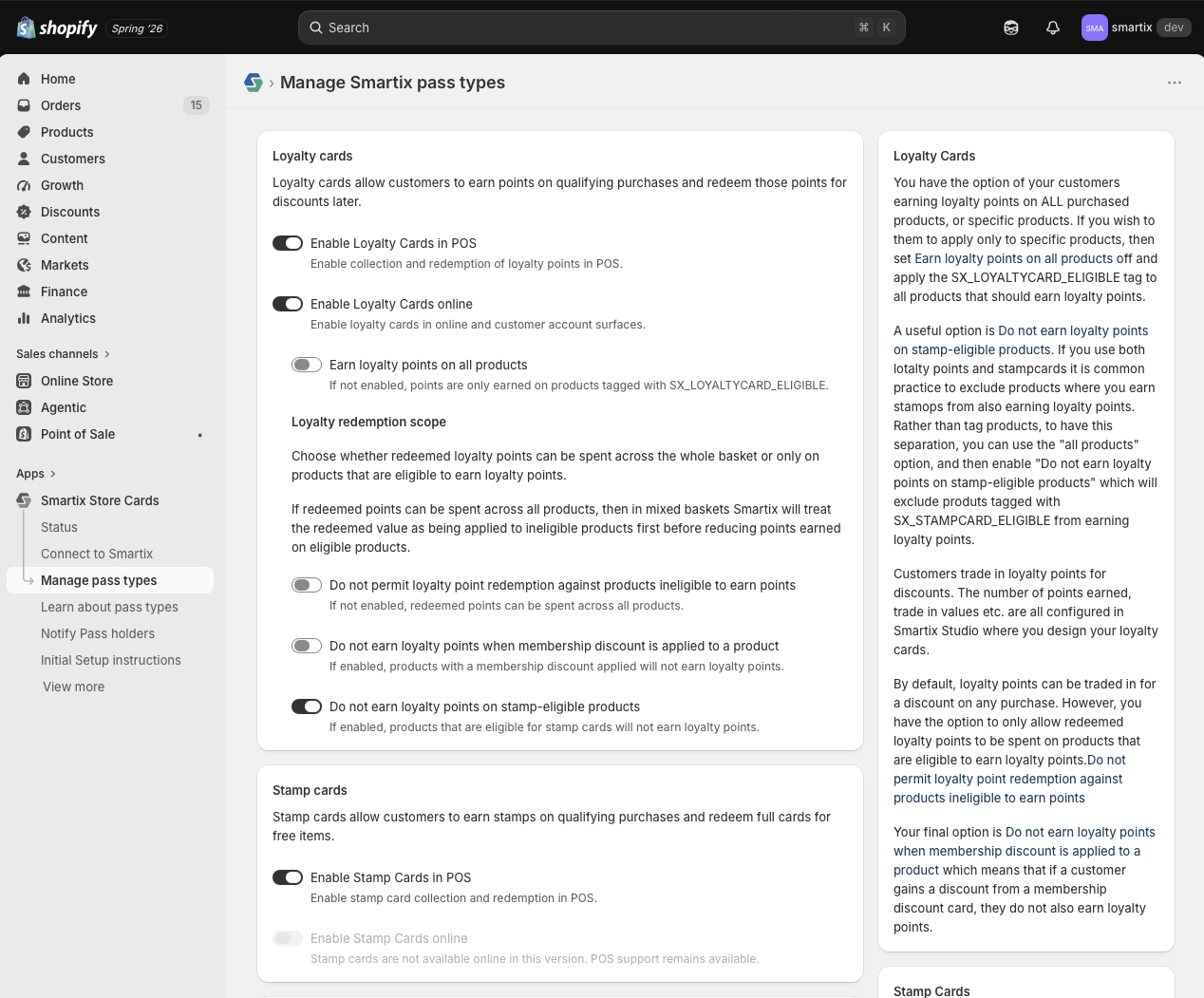
The Smartix admin interface connects your Shopify store to Smartix Studio and provides the settings needed to control how the integration behaves.
You can configure participating products, pass and reward behaviour, customer-account features and the areas of Shopify where Smartix should appear.
The full setup process and detailed configuration options are documented on our Smartix documentation website.

Install the Smartix app, connect your Smartix Studio account and choose the parts of the integration that suit your business. Use Shopify POS, your online store or both, with full setup guidance available in our documentation.