
Skip to content

Stamp Cards

Stamp Cards

Scan Barcode

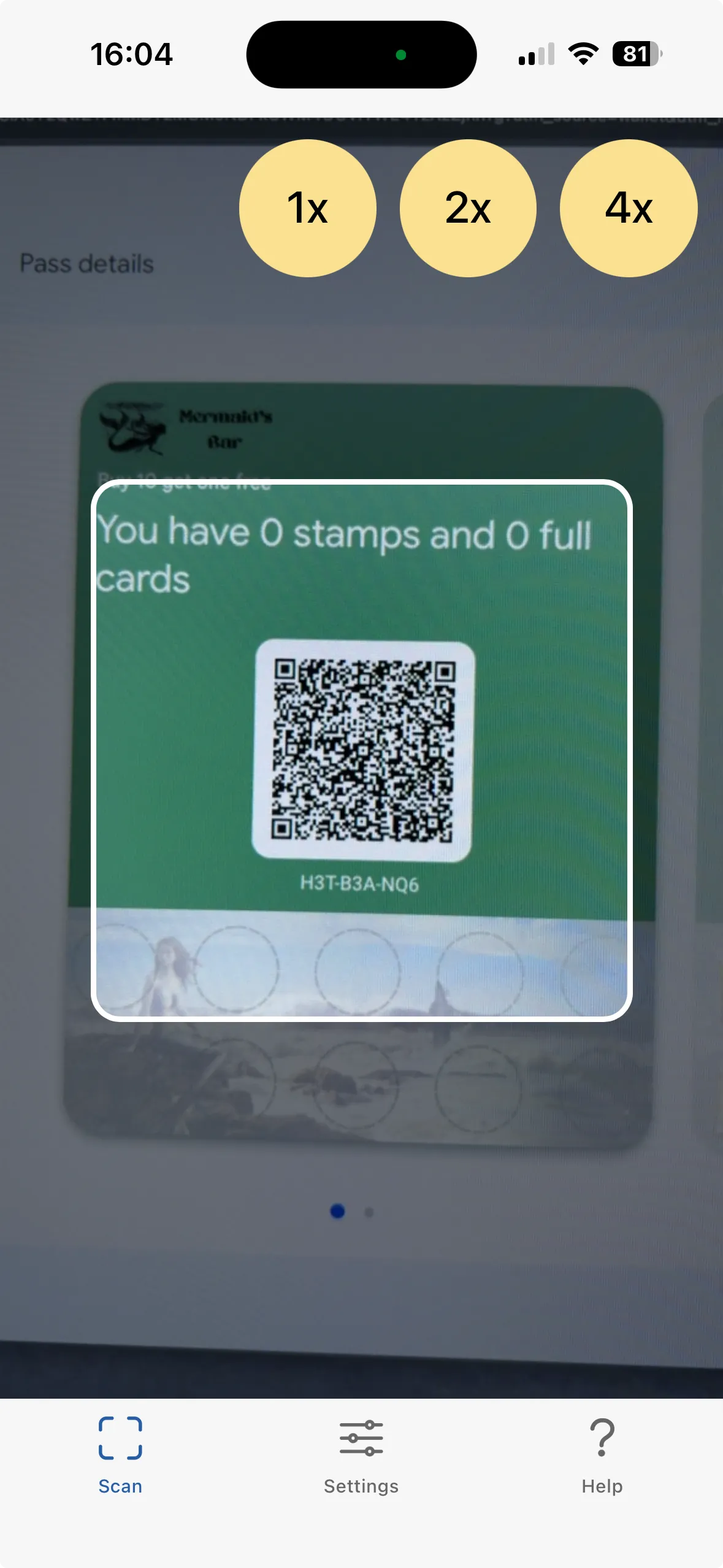
To scan a stamp card just point your device at your customers device with their QR code showing. Use the 1x, 2x 4x buttons to zoom in if needed.

If the QR is registered to your account then the stamp card data will be retrieved from our server. Otherwise you’ll see a message that it is not one of your passes.
Scanning

Add Stamps

Add Stamps

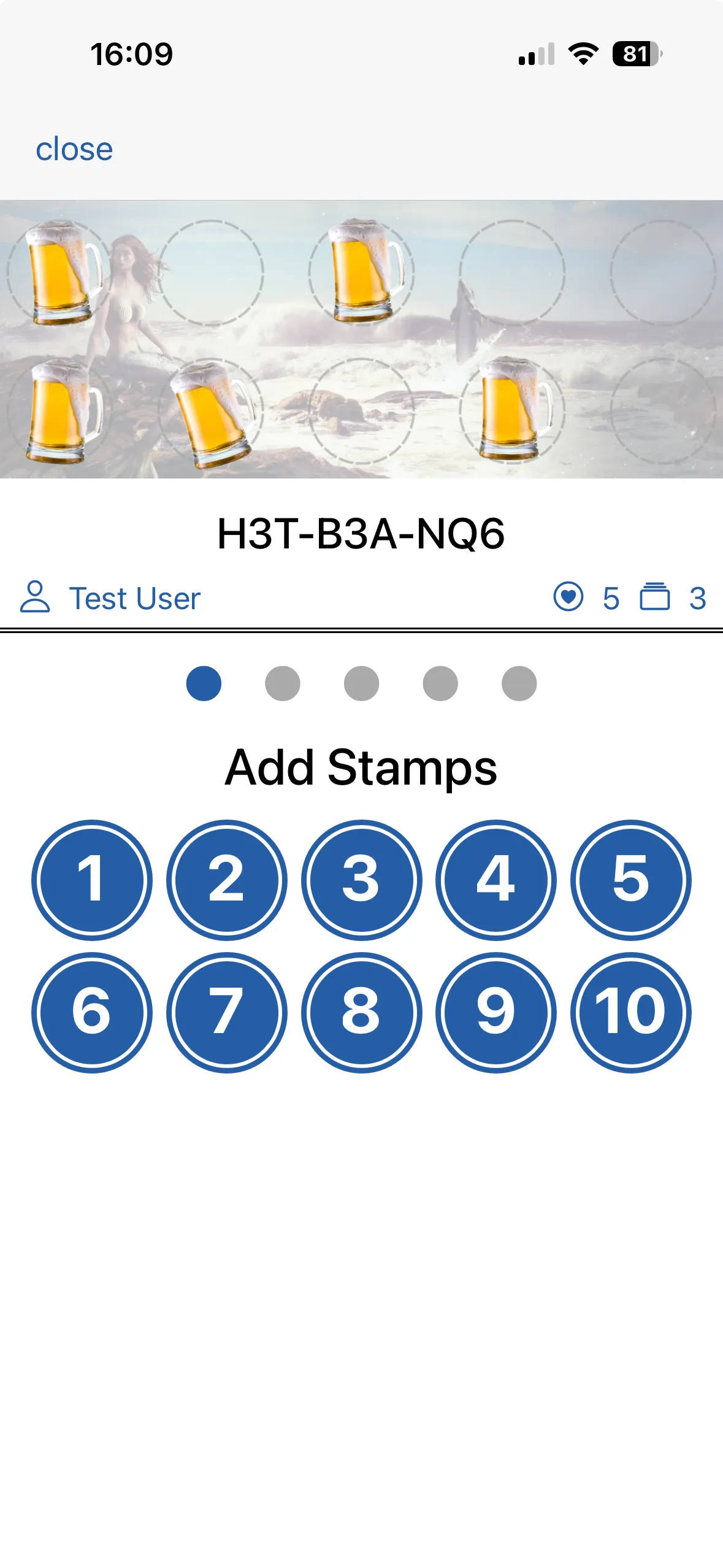
Once the stampcard has been scanned you can start interacting with it. At the top you can see a visual indicator of the current number of stamps. Below that you see the unique ID of this stampcard and below that the customer’s name, number of stamps and number of full cards (in the examnple you see 5 stamps and 3 full cards)

The default page is the add stamps page. Just press and hold a button to add the required number of stamps.

After a brief pause you’ll hear a confirmation message (and possibly a tone / vibration dependin gupon your settings). Your customer’s stampcard will also update to show the new stampcard balance.

Redeem Stamps

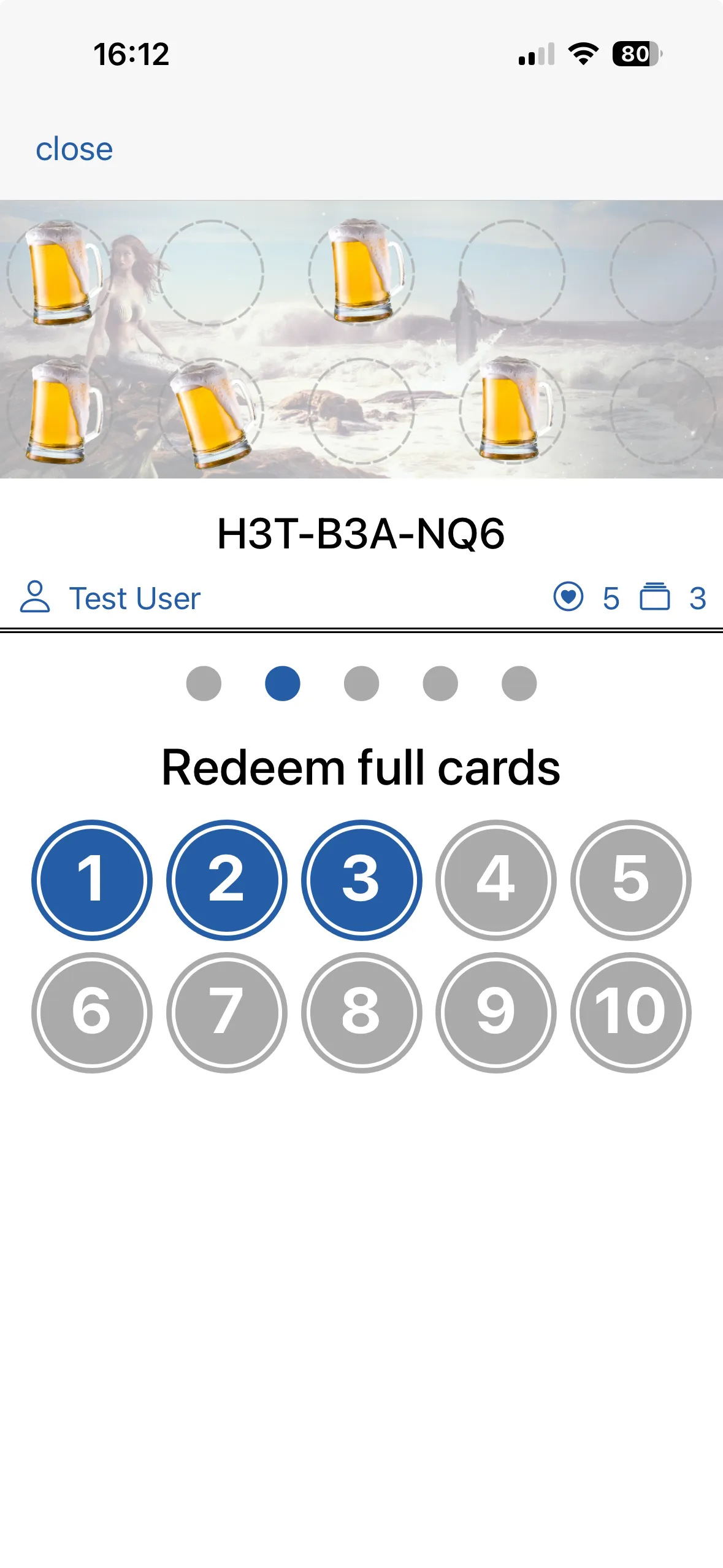
Swipe left to move to the redeem stamps page.

If the customer has any full cards to reedeem then you’ll see oen or more buttons enabled.

In the example you can see the customer has 5 full cards and so there are 5 buttons enabled.

Tap and hold a button to redeem one or more full cards.

After a brief pause you should get a confirmation and a transaction reference. You may like to make a not of this to add to your till to confirm a payment has been covered by the stampcard redemption. All transactions can be viewed within Studio for any stampcard that you have issued.

Scanning

Scanning

Information

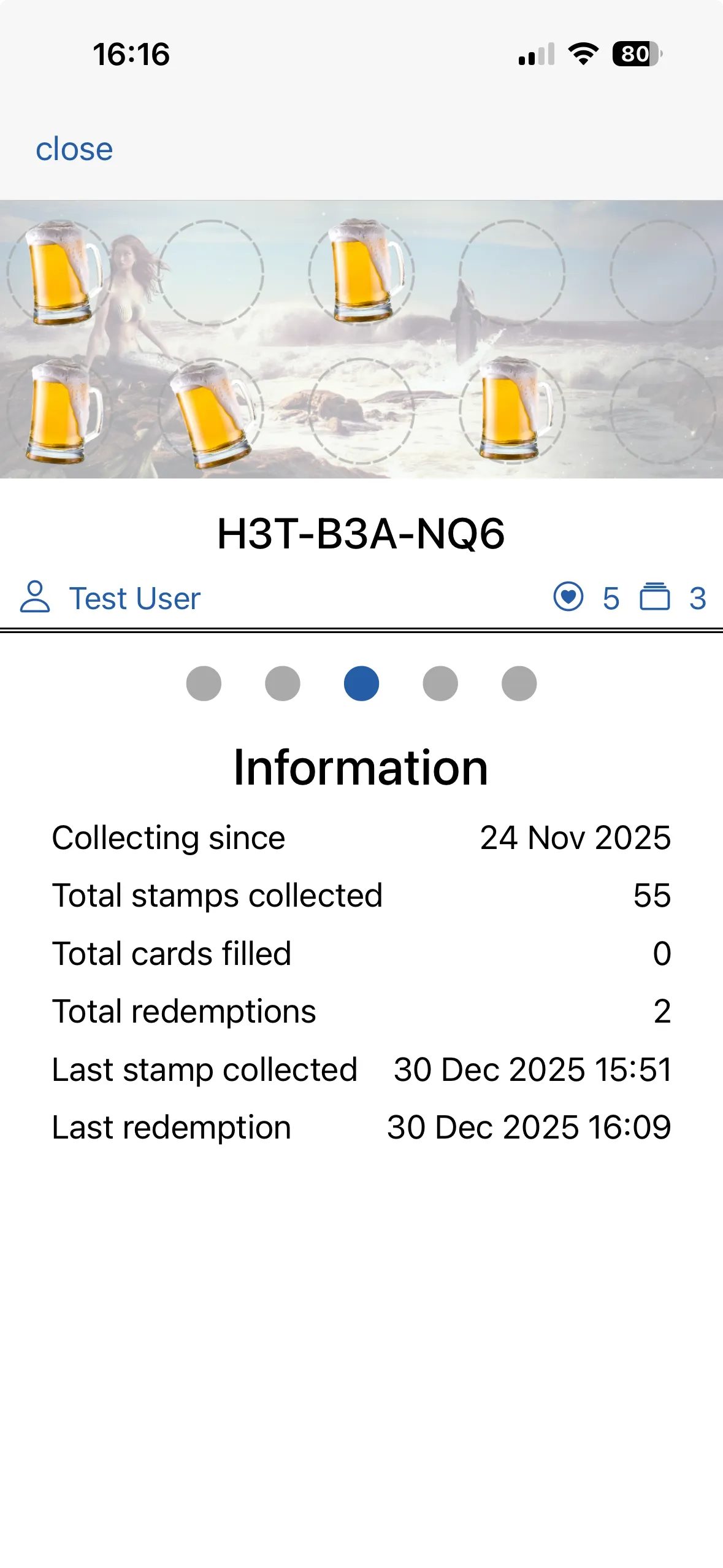
Swipe left again to get to the information page.

Here you can see a range of information related to this stampcard.

History

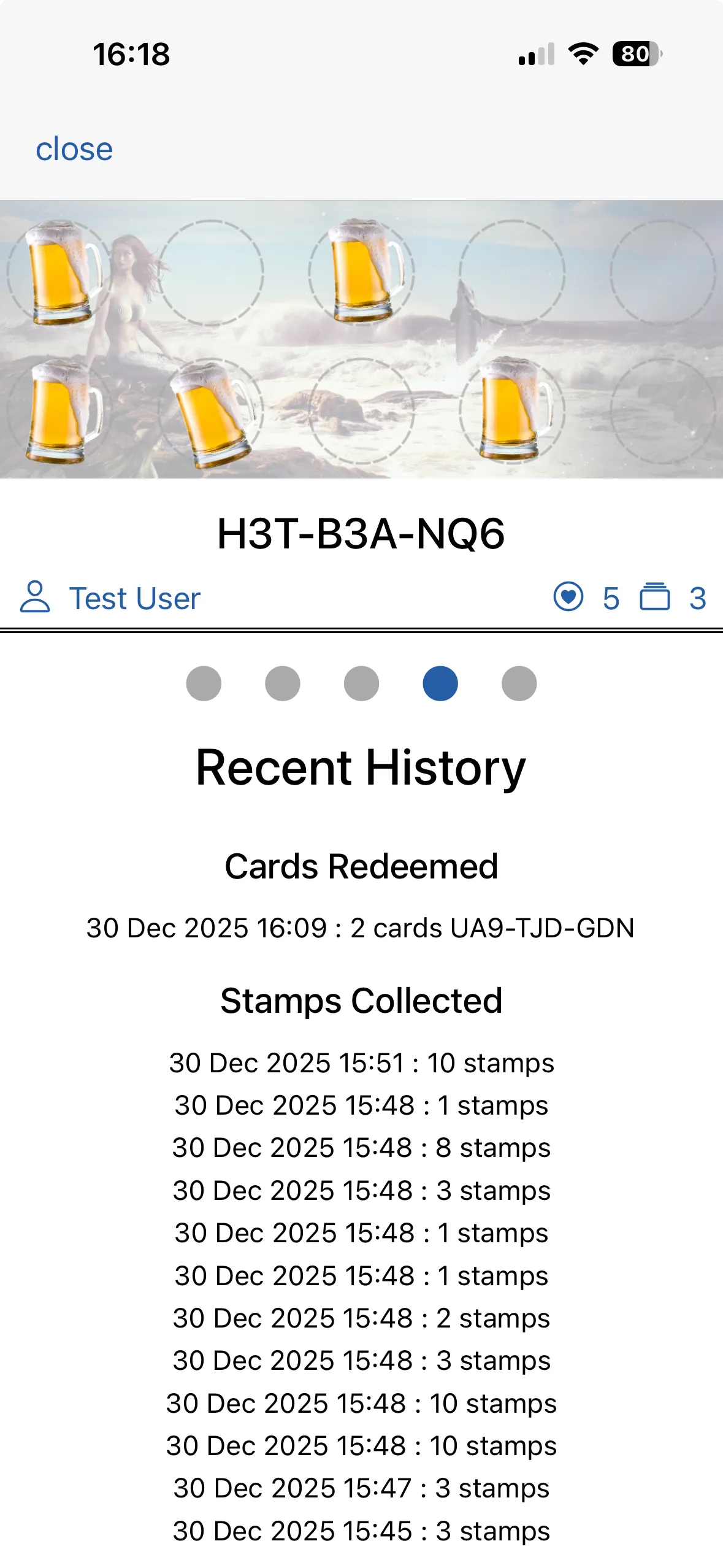
Swipe left again to get to the history page.

Here you can review recent redemptions and stamps earned.

Scanning

Scanning

Management

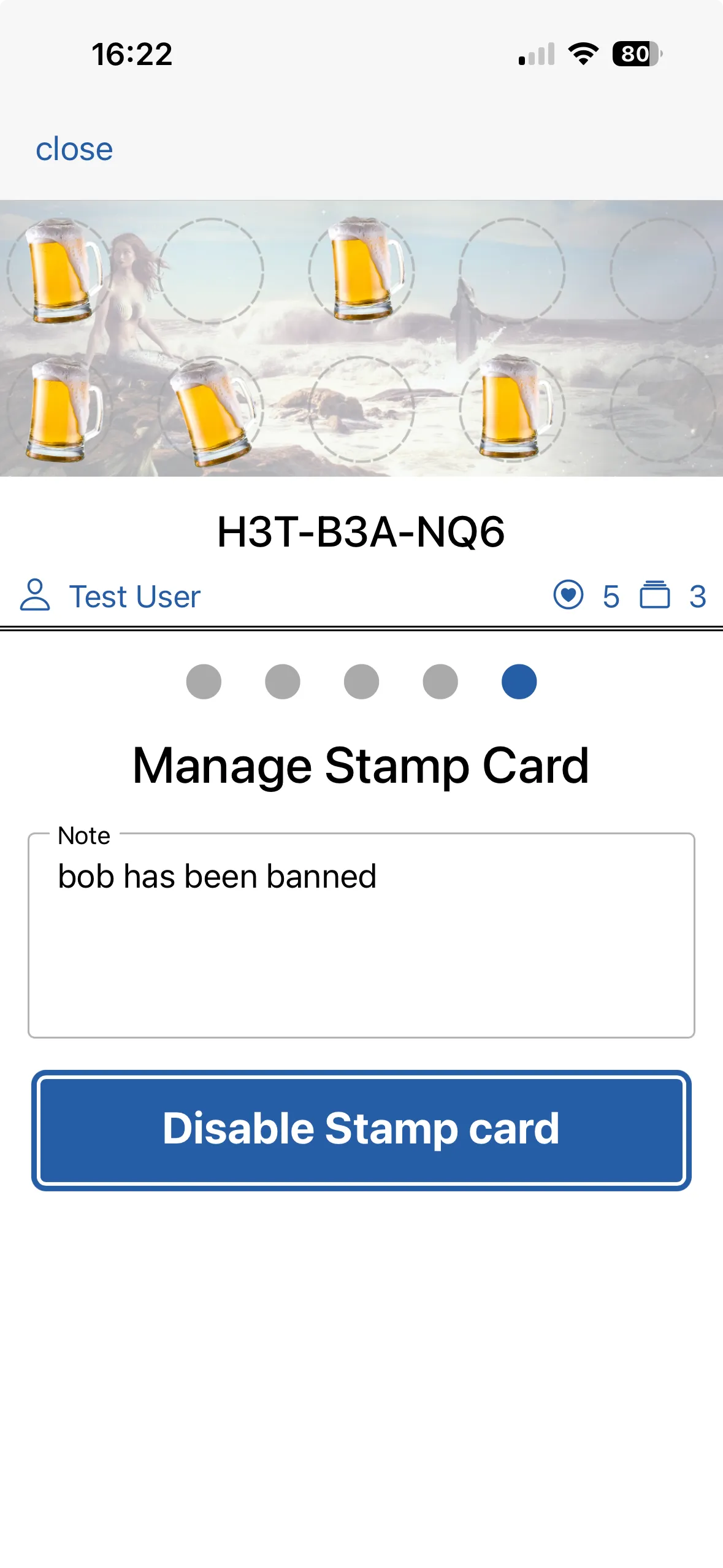
Swipe left again to get to the management page.

If you have a need to disable a card (or re-enable it), then you can do so here. Add a message as a reminder as to why a card has been disabled. If this is permanent then you might like to also delete it from Smartix via the Studio. Make a note of the stampcard ID.