
Skip to content

Gift Cards

Gift Cards

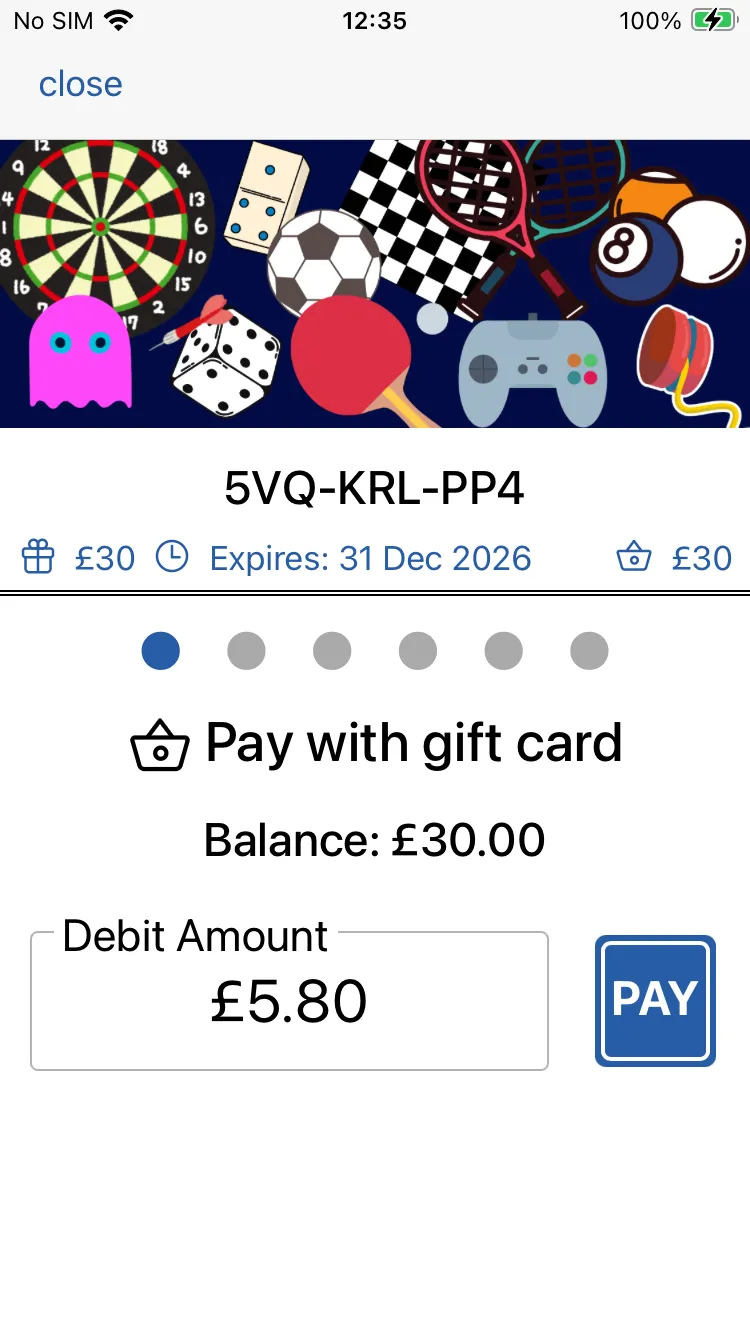
Pay with Giftcard

When presented with a gift card, simple scan the barcode.

The default screen will be the pay with giftcard screen.

Simply enter the amount to be debited and tap and hold the pay button.

NOTE: You can also process giftcard payments in Studio. Simply make ask you customer to privide the giftcard number (locate dbeneath the barcode). Use this to locate the giftcard in your list of passes in Studio. Then follow the instructions.
Scanning

Scanning

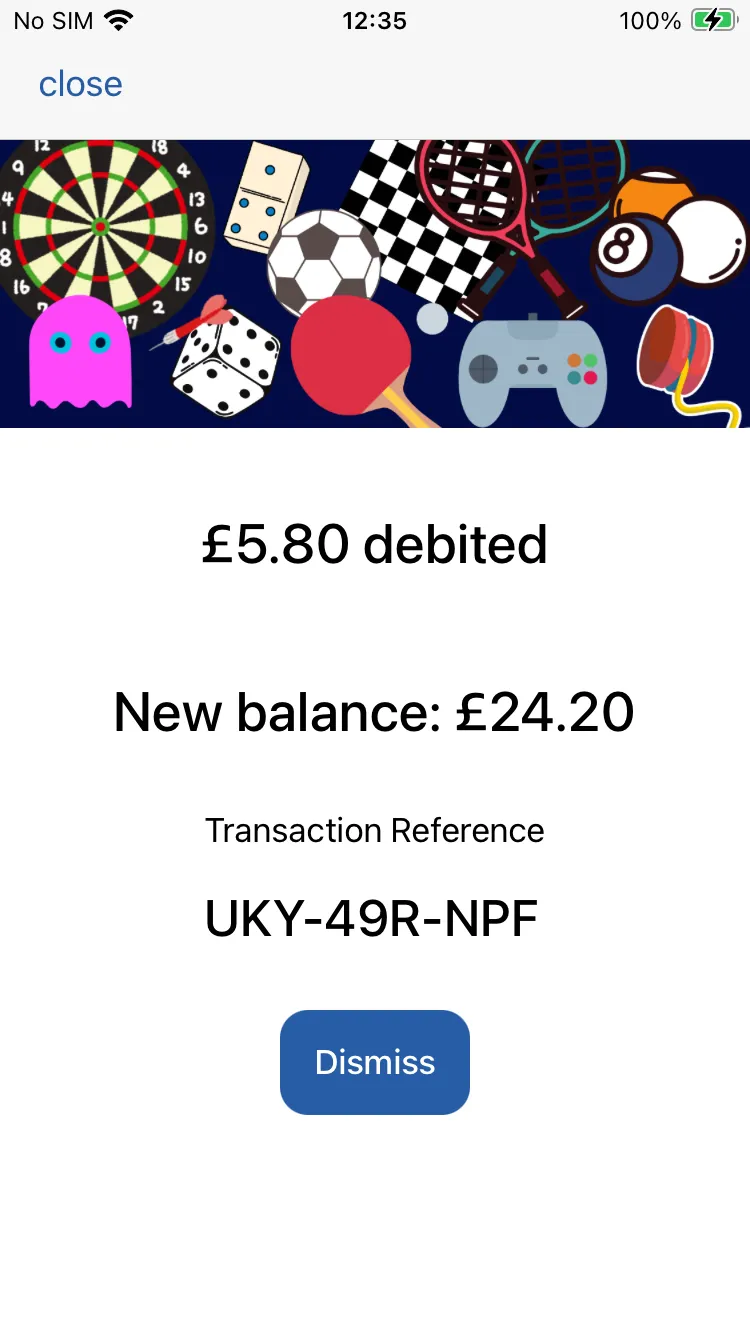
Payment taken

Once payment has been processed you’ll see a confirmation message.

This will confirm the new balance and display a transaction reference.

You might like to make a note of this reference and add it to your till as a record of the giftcard transaction.

All transactions can also be viewed in Studio.

refund to Giftcard

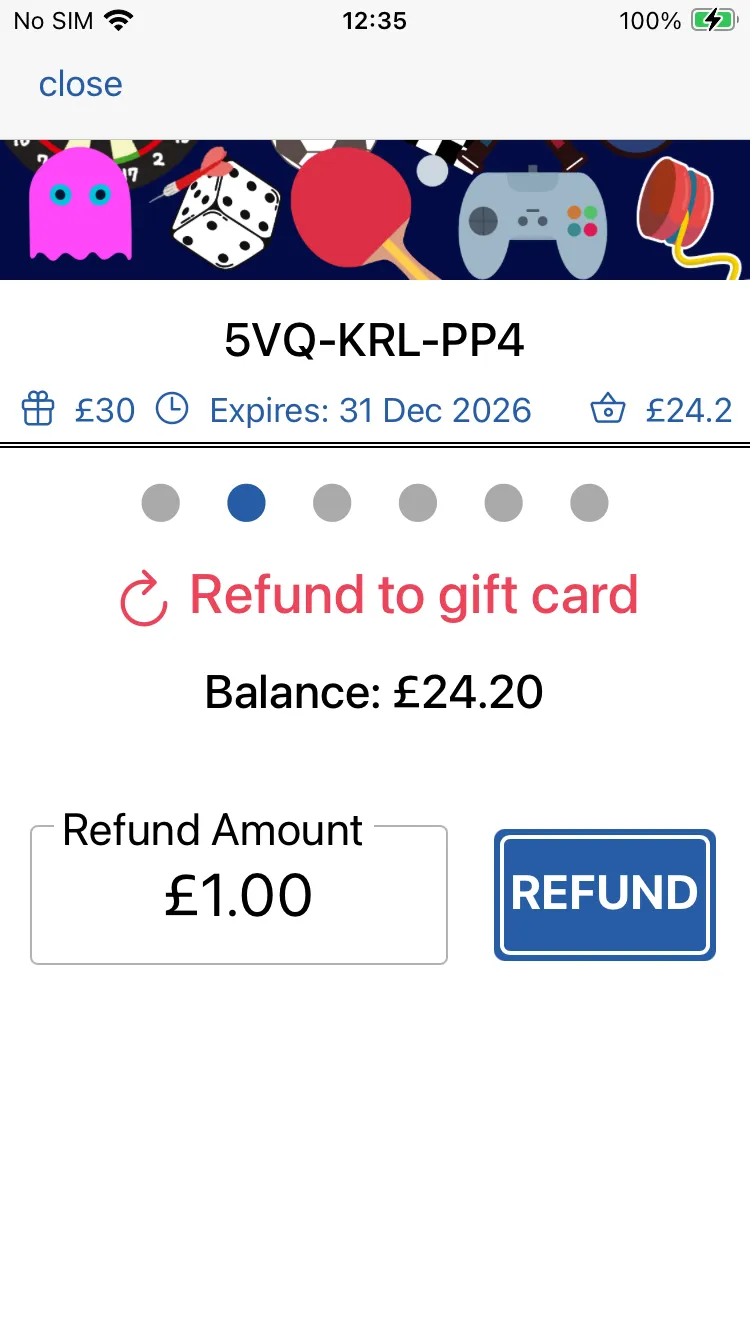
If you need to refund a payment to a giftcard, then swipe left to the refund screen.

Simply enter the amount to be refunded and tap and hold the refund button.

Scanning

Scanning

Refund complete

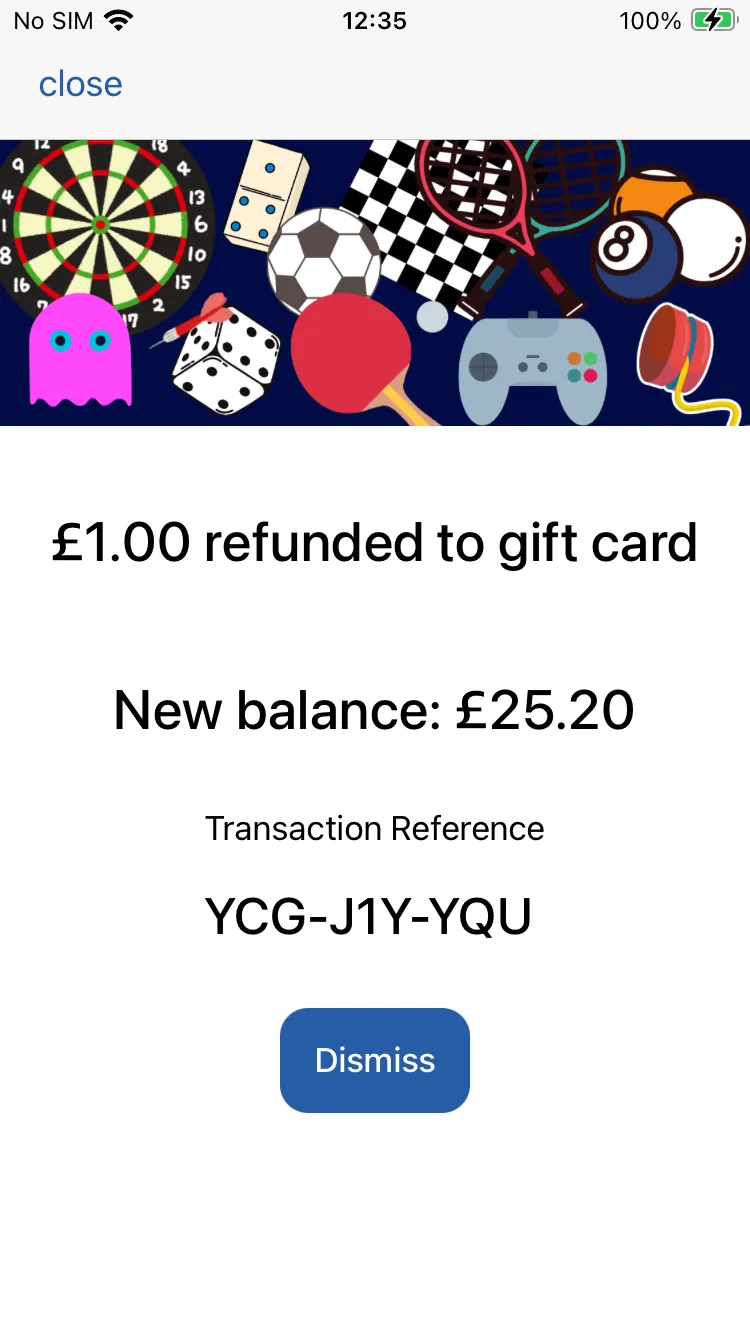
Once the refund has been processed you’ll see a confirmation message.

This will confirm the new balance and display a transaction reference.

Topup Giftcard

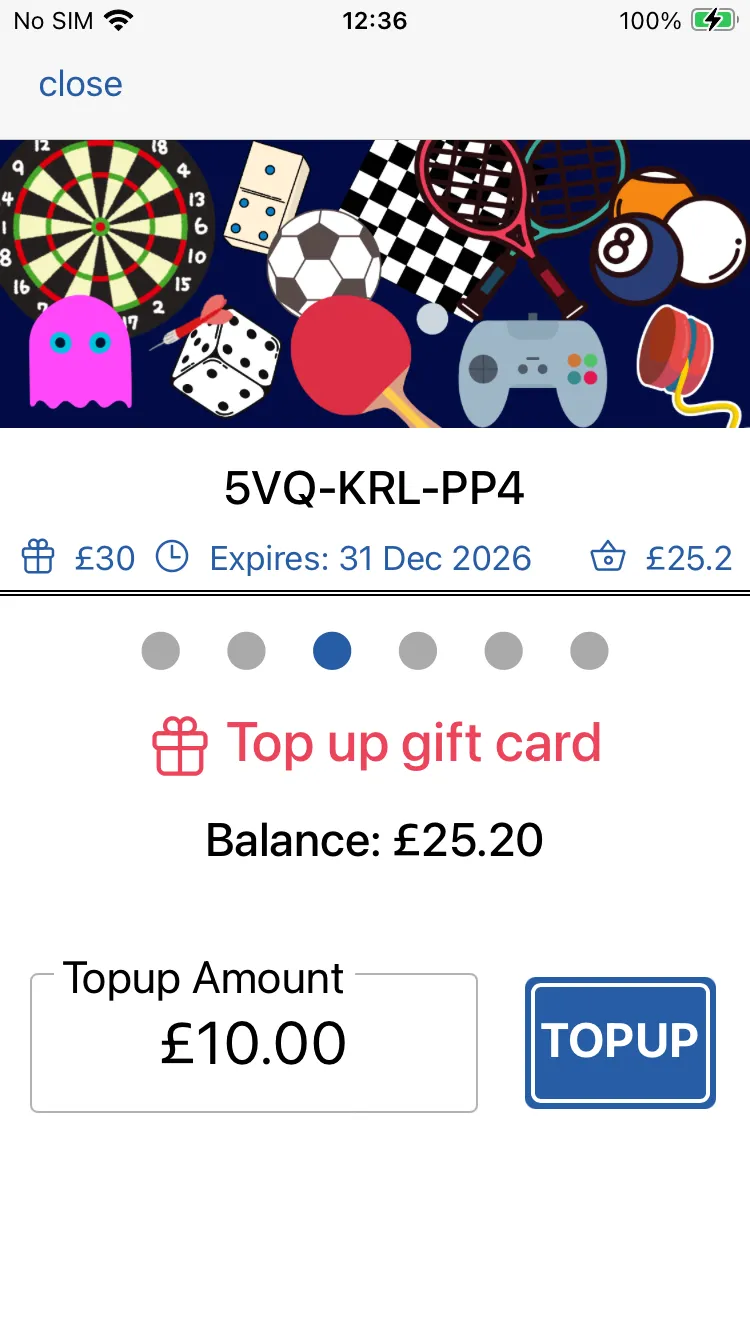
Gift cards can be topped up with additional balance on the topup screen. Swipe left twice to finf it.

Simply enter the amount to be added to the gift card and tap and hold the topup button.

Scanning

Scanning

Topup complete

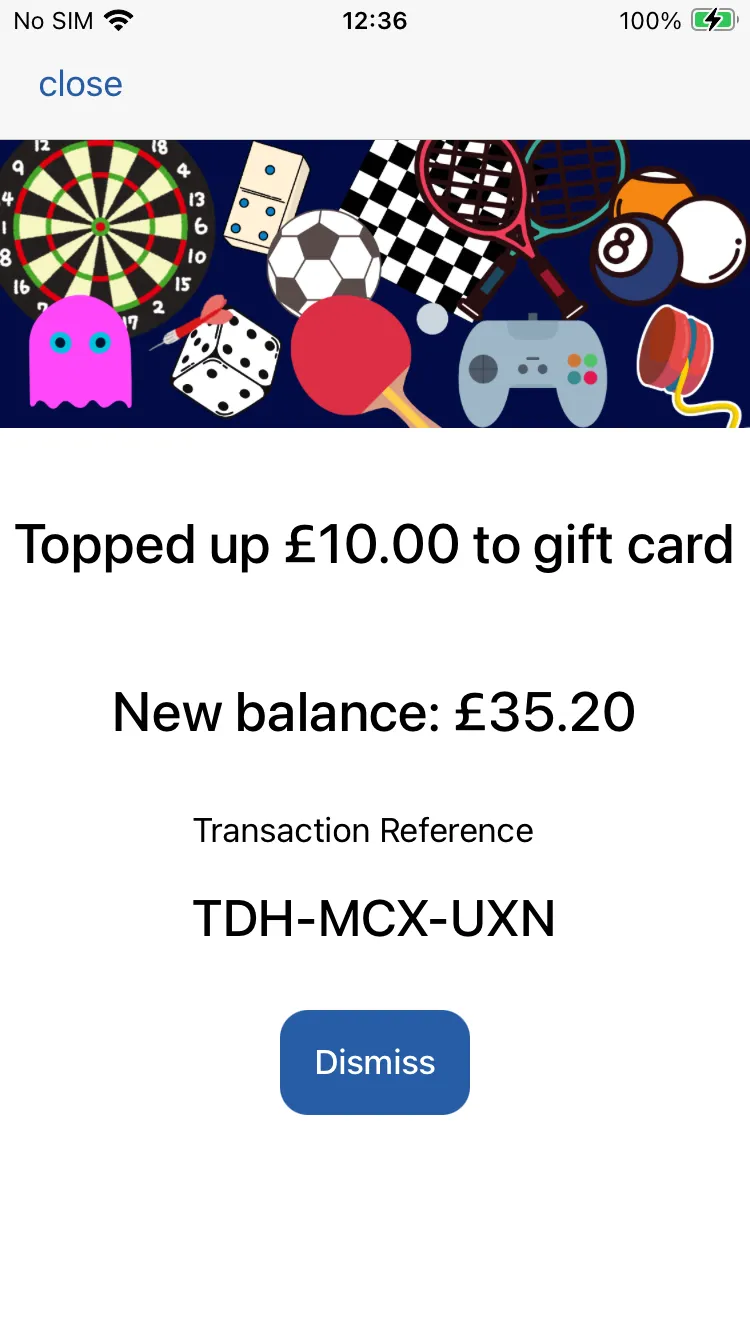
Once topup has been processed you’ll see a confirmation message.

This will confirm the new balance and display a transaction reference.

NOTE: If you have an expiry date set for your giftcards, then a topup will reset this. eg. If you set a 12 month expiry, then afetr a topup, the new expiry date will be set to 12 months after the topup date.

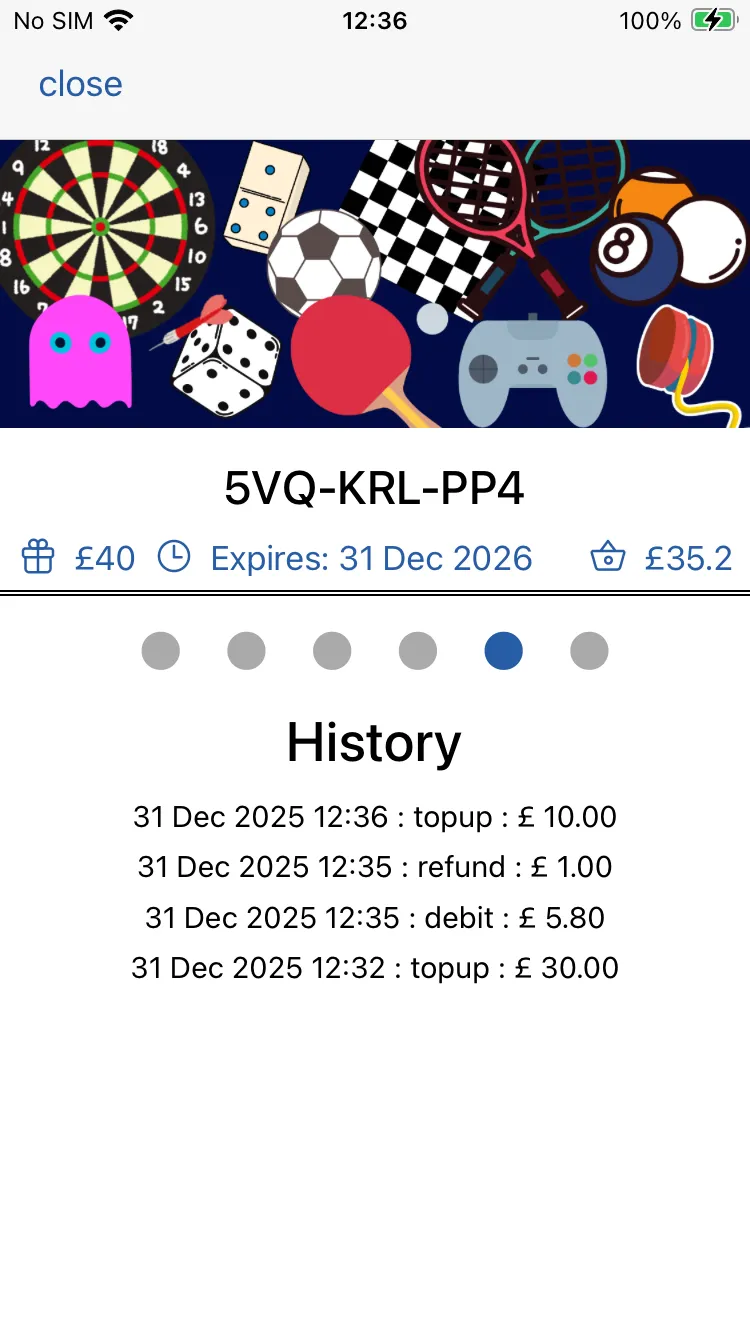
History

Swiping left again will bring you to the history screen where a list of all payments, refunds and topups are shown

Scanning

Scanning

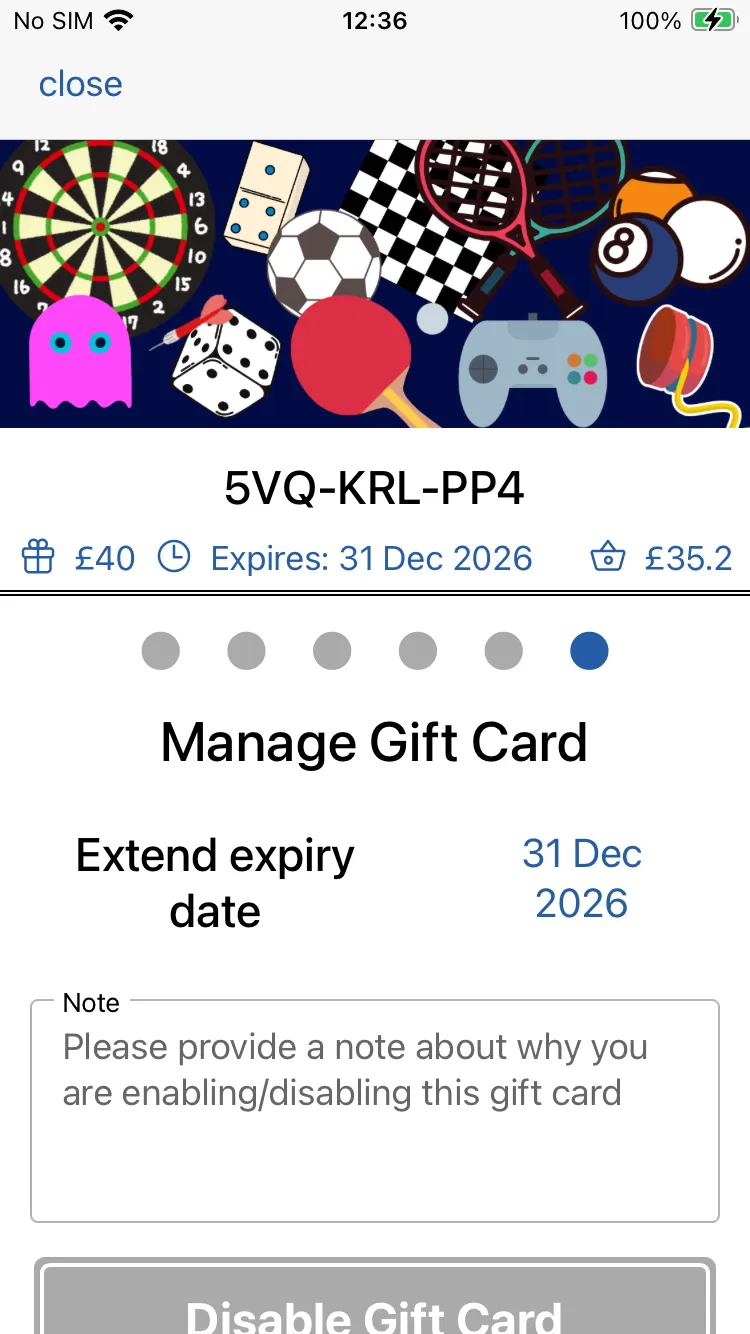
Manage Giftcard

Here you can change the expiry date (if set). Tap on the blue date to brign up a calendar where you can choose a new expiry date.

You can also disable / re-enable a gift card if you have a need to do so. Add a message to explain why.